¶ GitHub Actions 集成
更新时间: 2023-07-17 16:27:15
¶ 一、功能简介
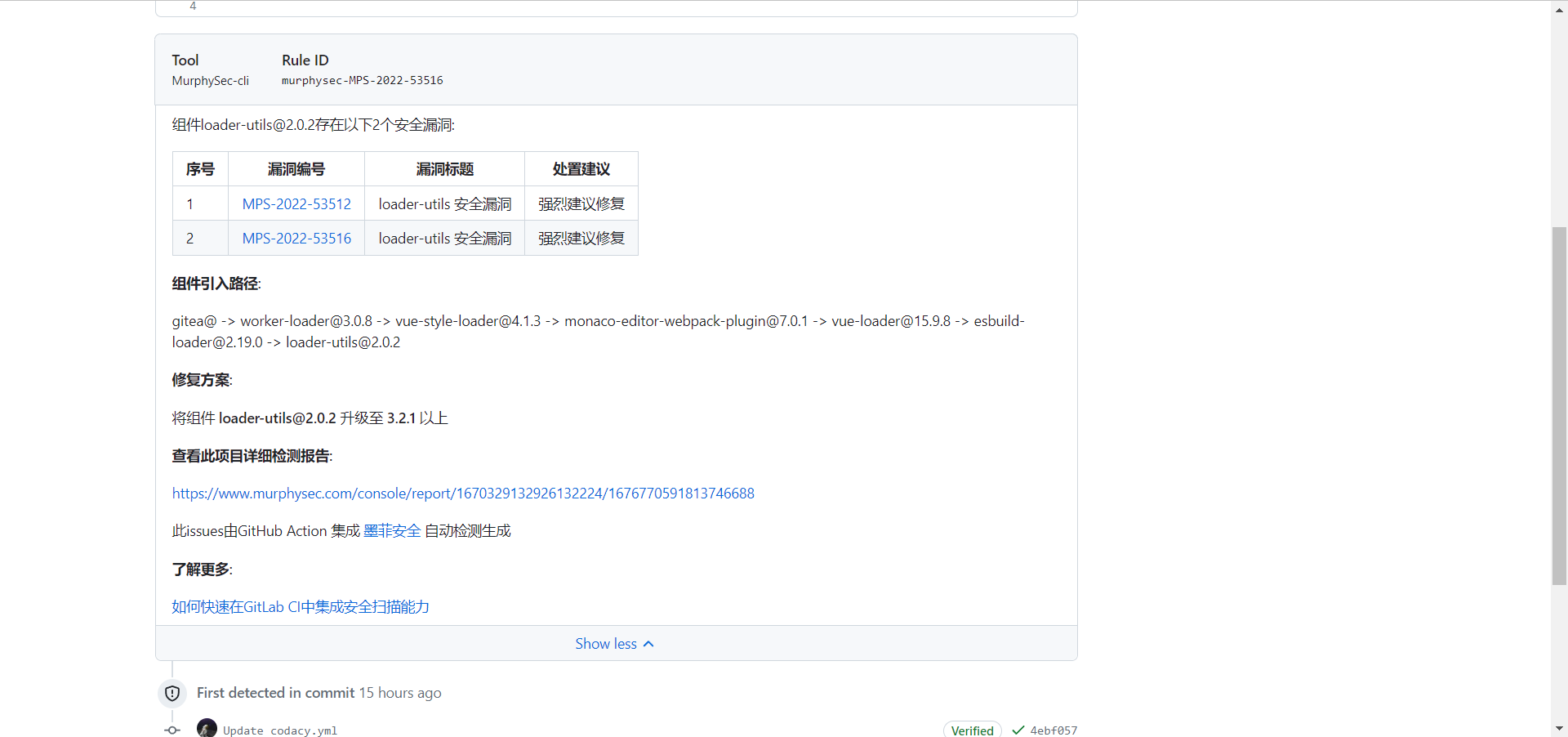
将墨菲安全代码安全检测工具集成到 GitHub Actions 中,可对每一次代码更新实时进行安全漏洞检测,并快速修复这些安全漏洞。
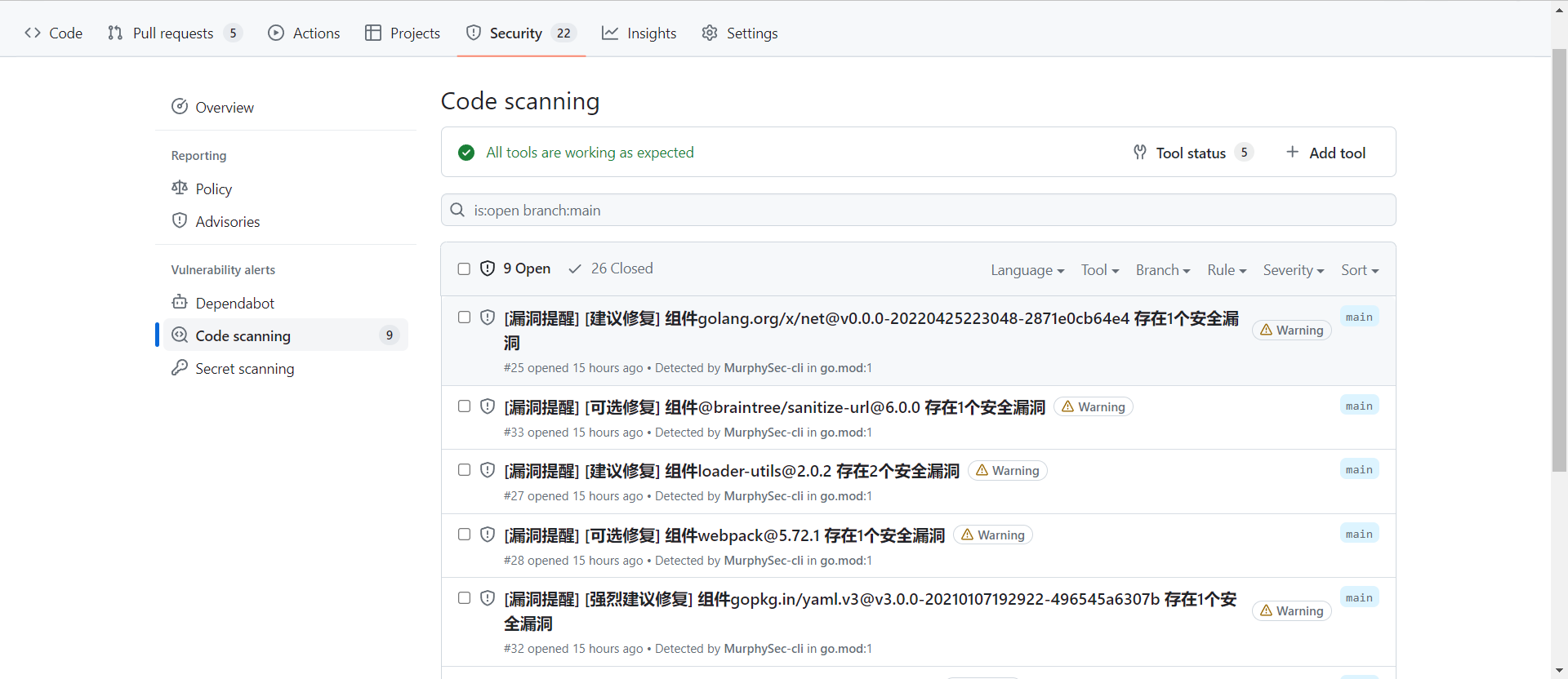
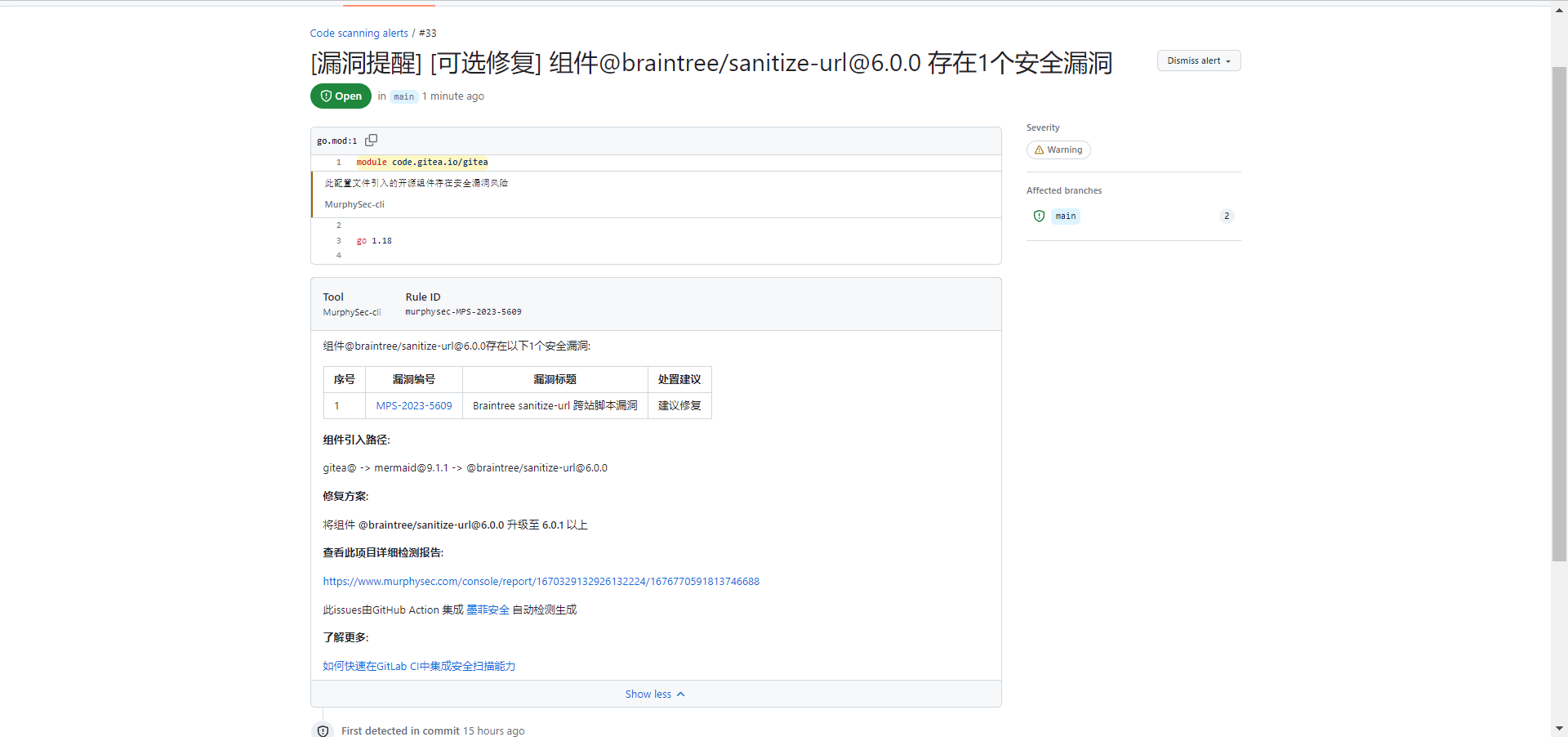
¶ 集成效果
¶ 二、操作步骤
如果您使用过 GitHub Actions,请直接从 2.4 开始操作
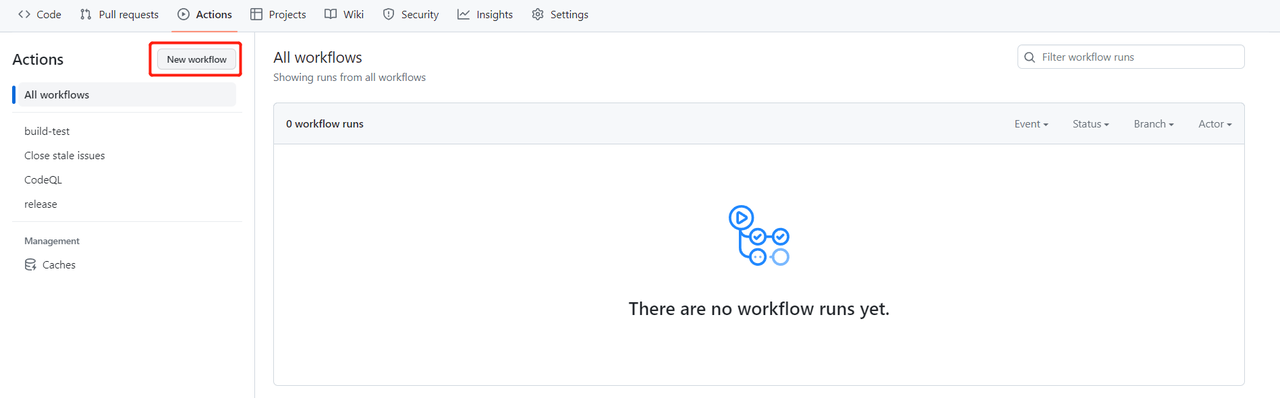
¶ 2.1 启用 GitHub Actions
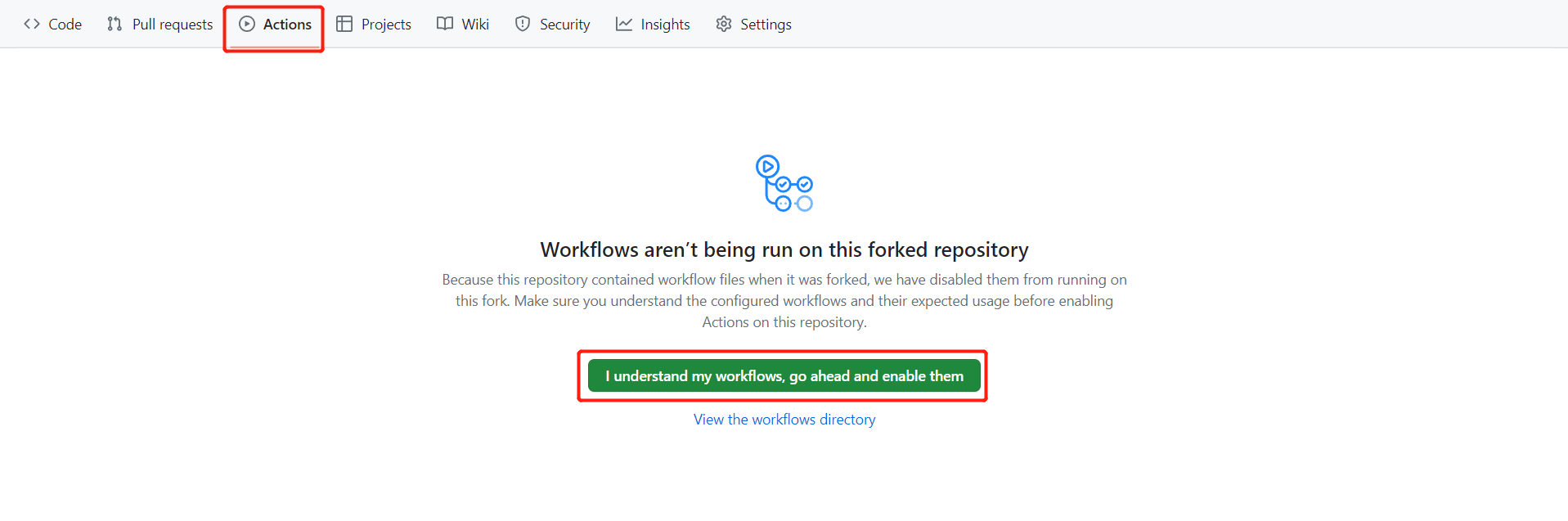
如展示如下图所示表示项目已开启 Actions
¶ 2.2 进入项目页面配置 Action 权限
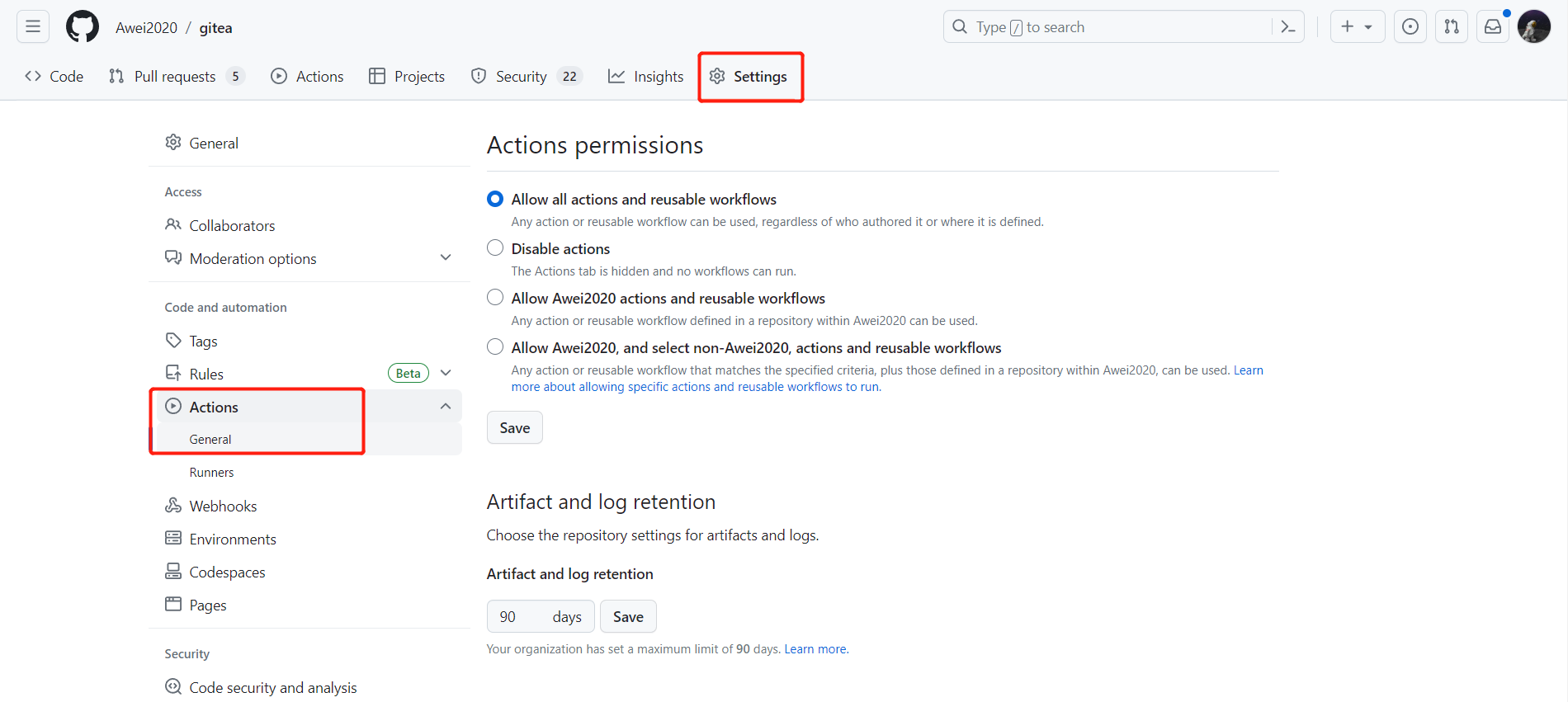
点击 settings -> Actions -> General
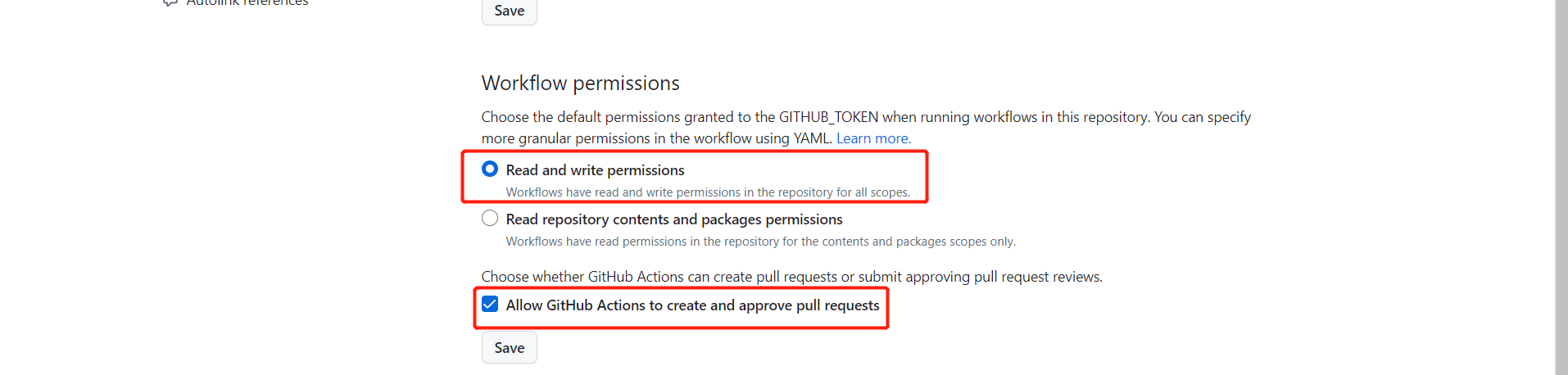
勾选
Read and write permissions最下方勾选
Allow GitHub Actions to create and approve pull requests
¶ 2.3 添加变量 MURPHYSEC_TOKEN
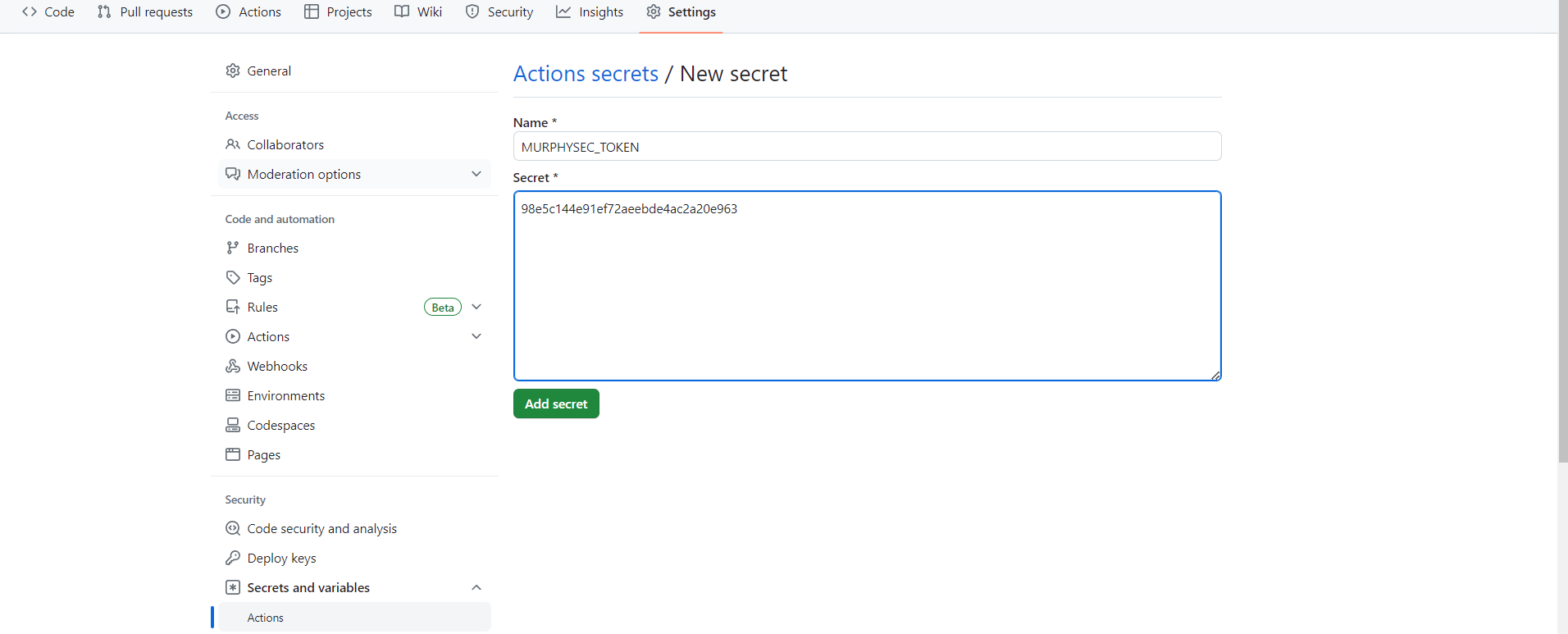
- 点击仓库 settings -> Secrets and variables -> Actons -> New repository secret
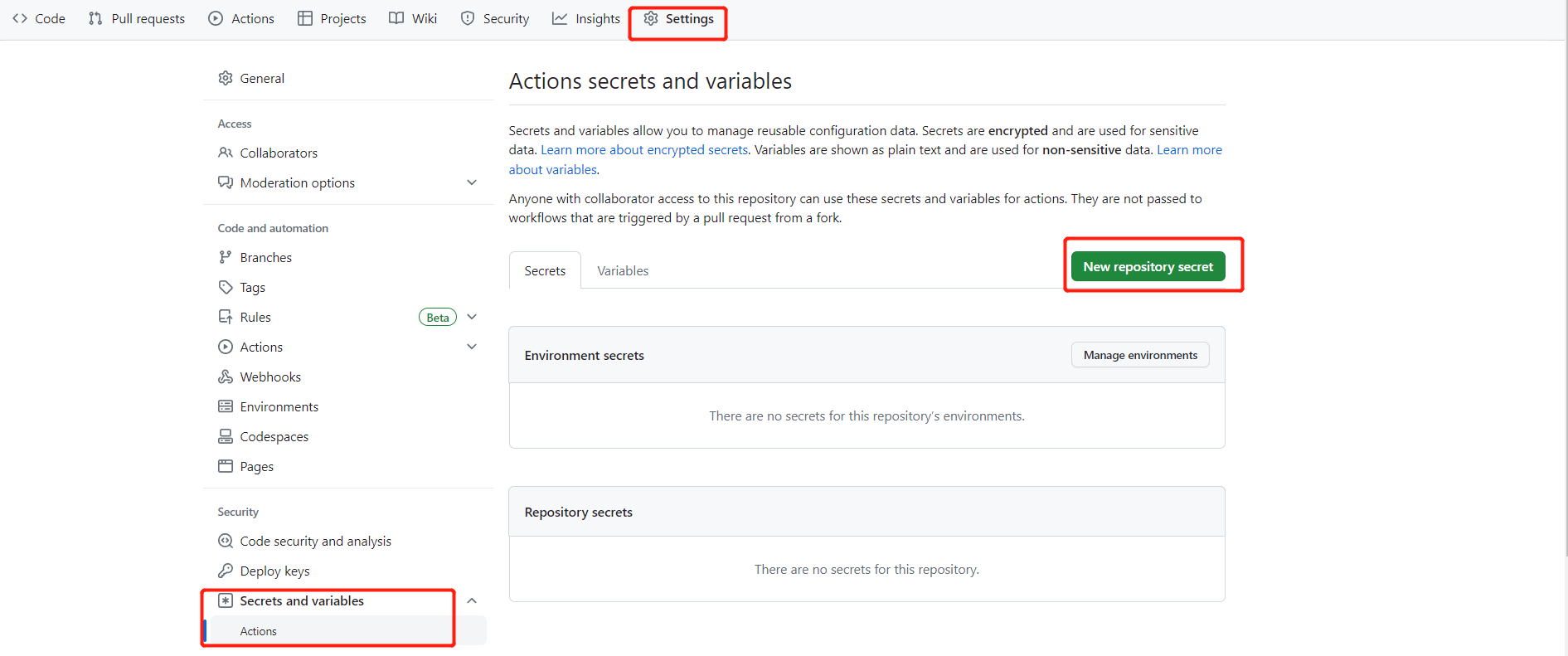
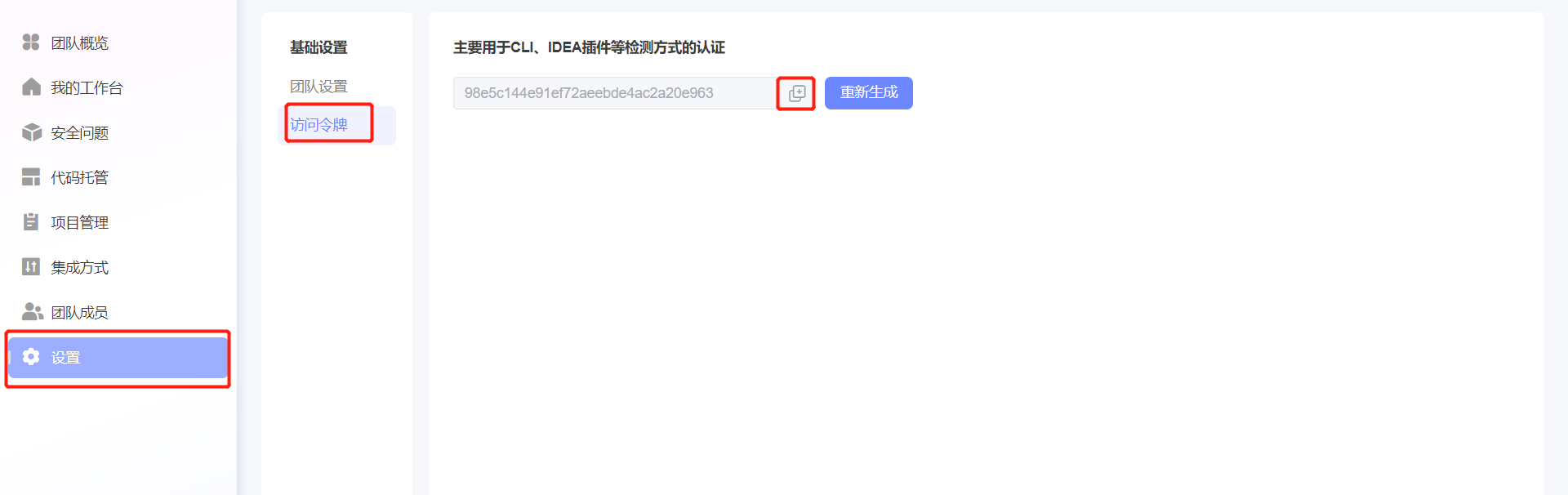
变量的键为:MURPHYSEC_TOKEN,变量的值为:通过以下方式获取到的墨菲安全访问令牌
登录墨菲安全官网(https://www.murphysec.com),在
设置->访问令牌页面中,点击按钮复制访问令牌
¶ 2.4 创建 GitHub Actions
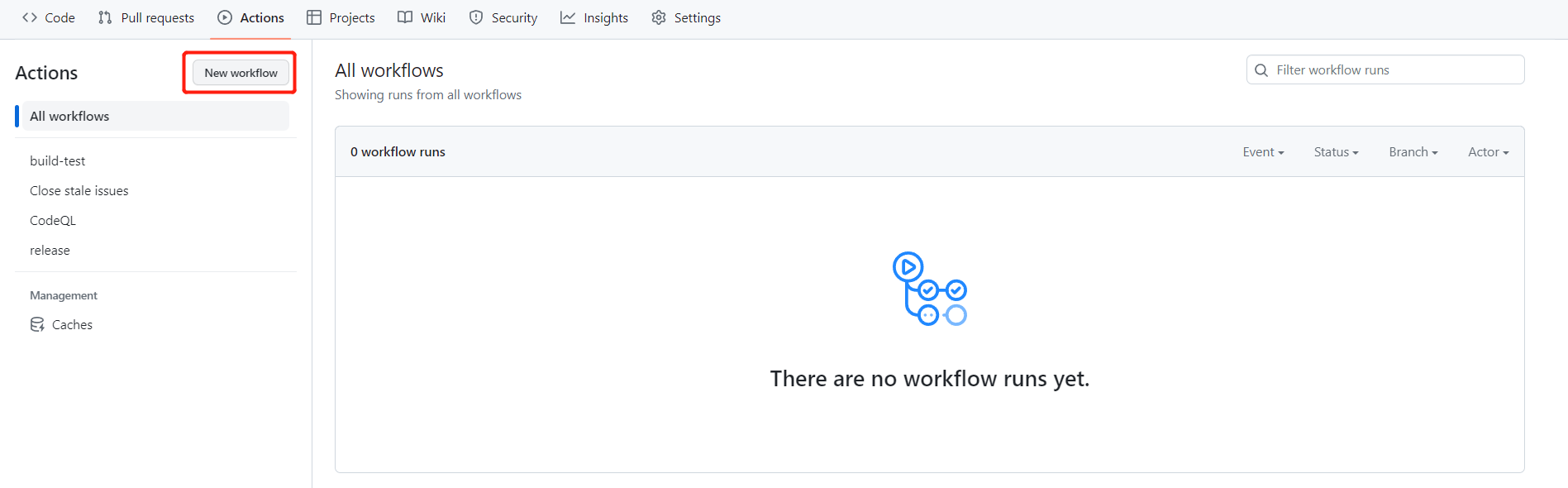
- 点击项目 Actions -> New workflows
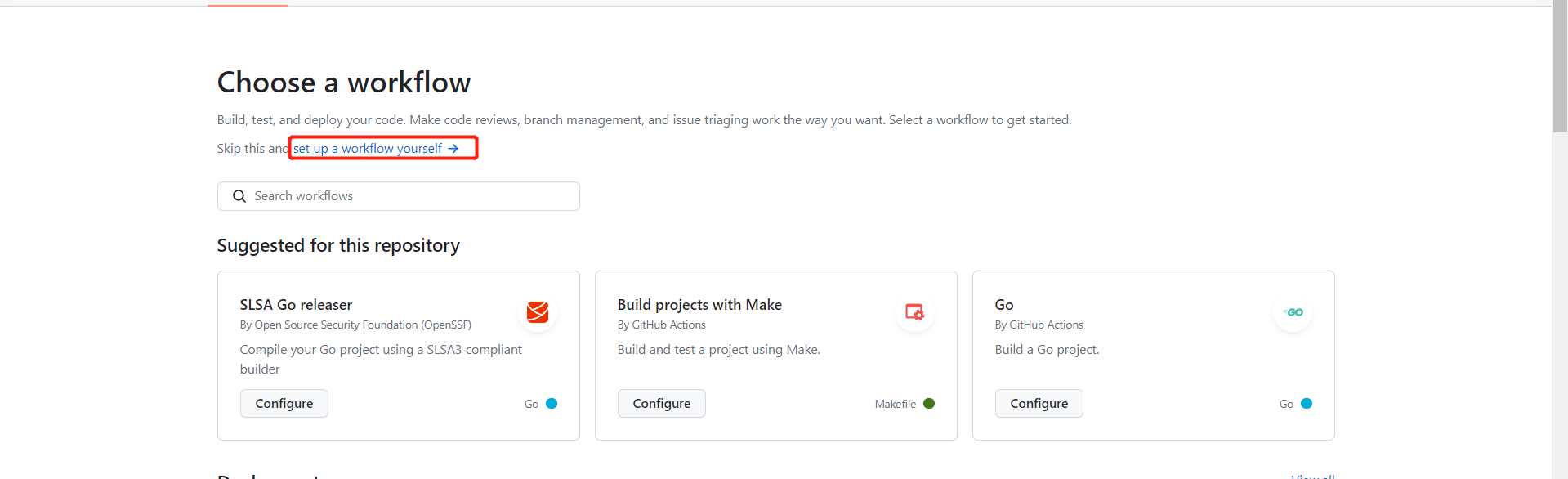
- 点击
set up a workflow yourself
- 添加 ci 代码并提交
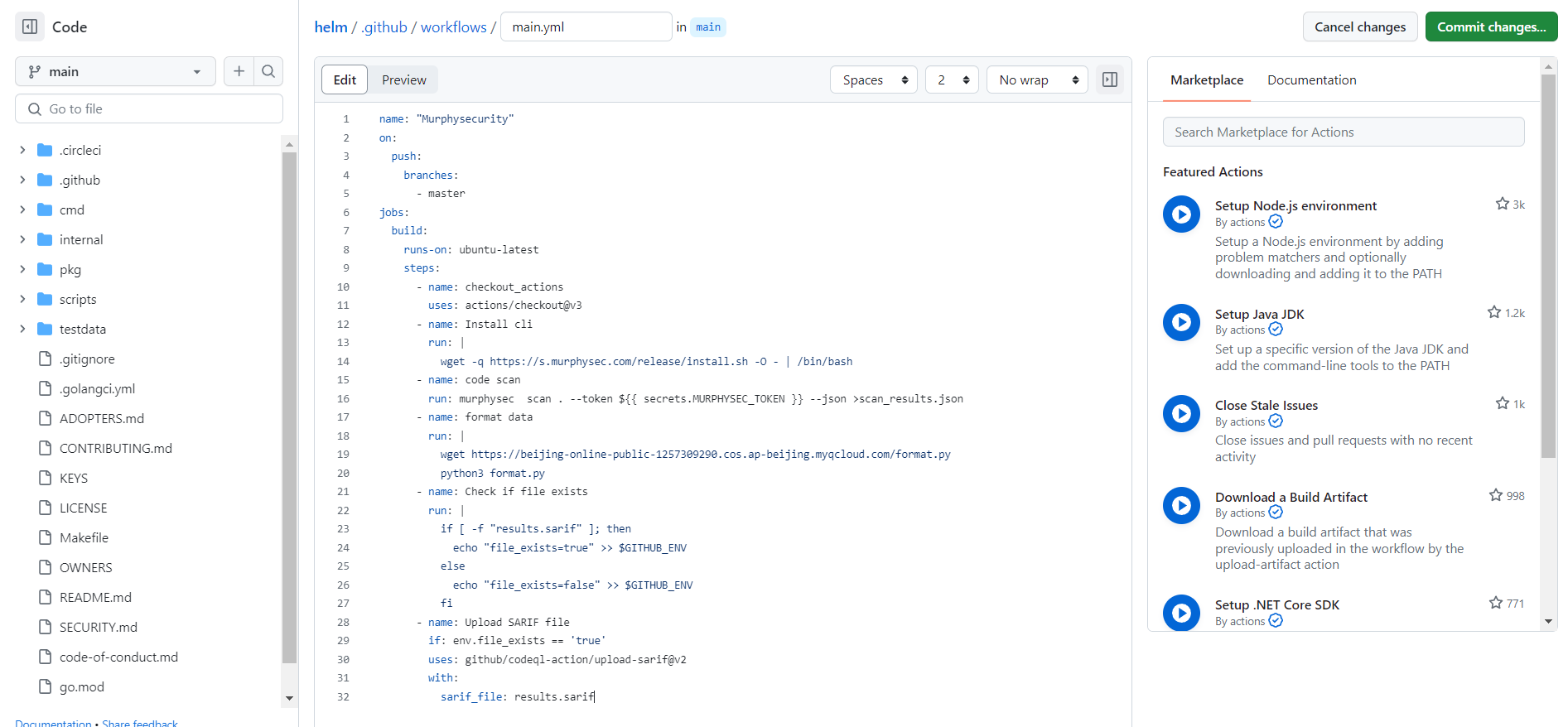
¶ GitHub Actions 代码参考
- branches:对应的分支,需要自行修改需要执行检测的分支名称
name: "MurphySec code scan"
on:
  push:
    branches:
      - master
jobs:
  build:
    runs-on: ubuntu-latest
    steps:
      - name: Checkout_Actions
        uses: actions/checkout@v3
      - name: Install MurphySec code scan cli
        run: |
          wget -q https://s.murphysec.com/release/install.sh -O - | /bin/bash
      - name: Code scan
        run: murphysec  scan . --token ${{ secrets.MURPHYSEC_TOKEN }} --json >scan_results.json
      - name: Format data
        run: |
          wget https://s.murphysec.com/github_actions_format.py
          python3 github_actions_format.py
      - name: Check if file exists
        run: |
          if [ -f "results.sarif" ]; then
            echo "file_exists=true" >> $GITHUB_ENV
          else
            echo "file_exists=false" >> $GITHUB_ENV
          fi
      - name: Upload SARIF file
        if: env.file_exists == 'true'
        uses: github/codeql-action/upload-sarif@v2
        with:
          sarif_file: results.sarif
¶ 三、查看代码检测结果
- 进入项目页面 -> Security -> Code scanning
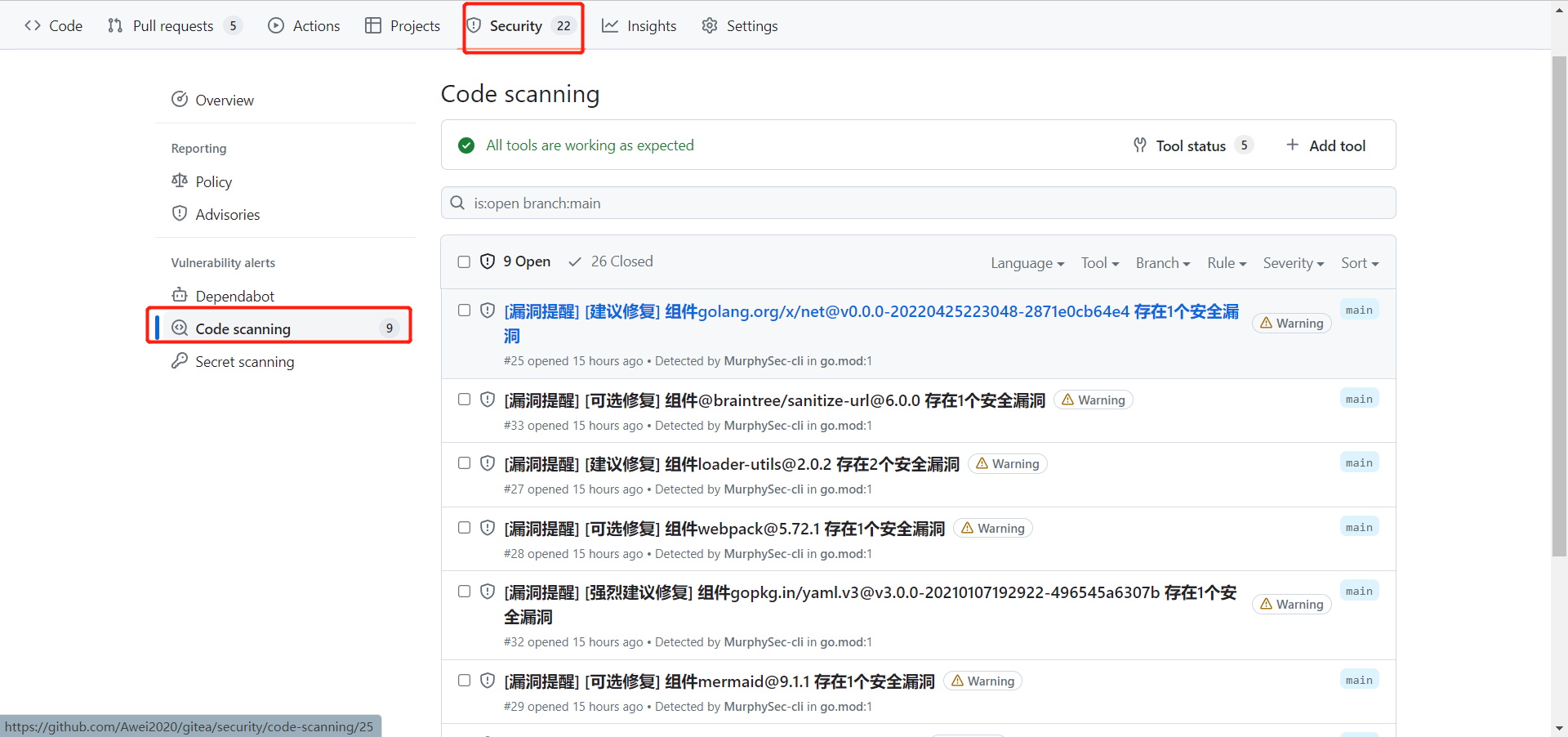
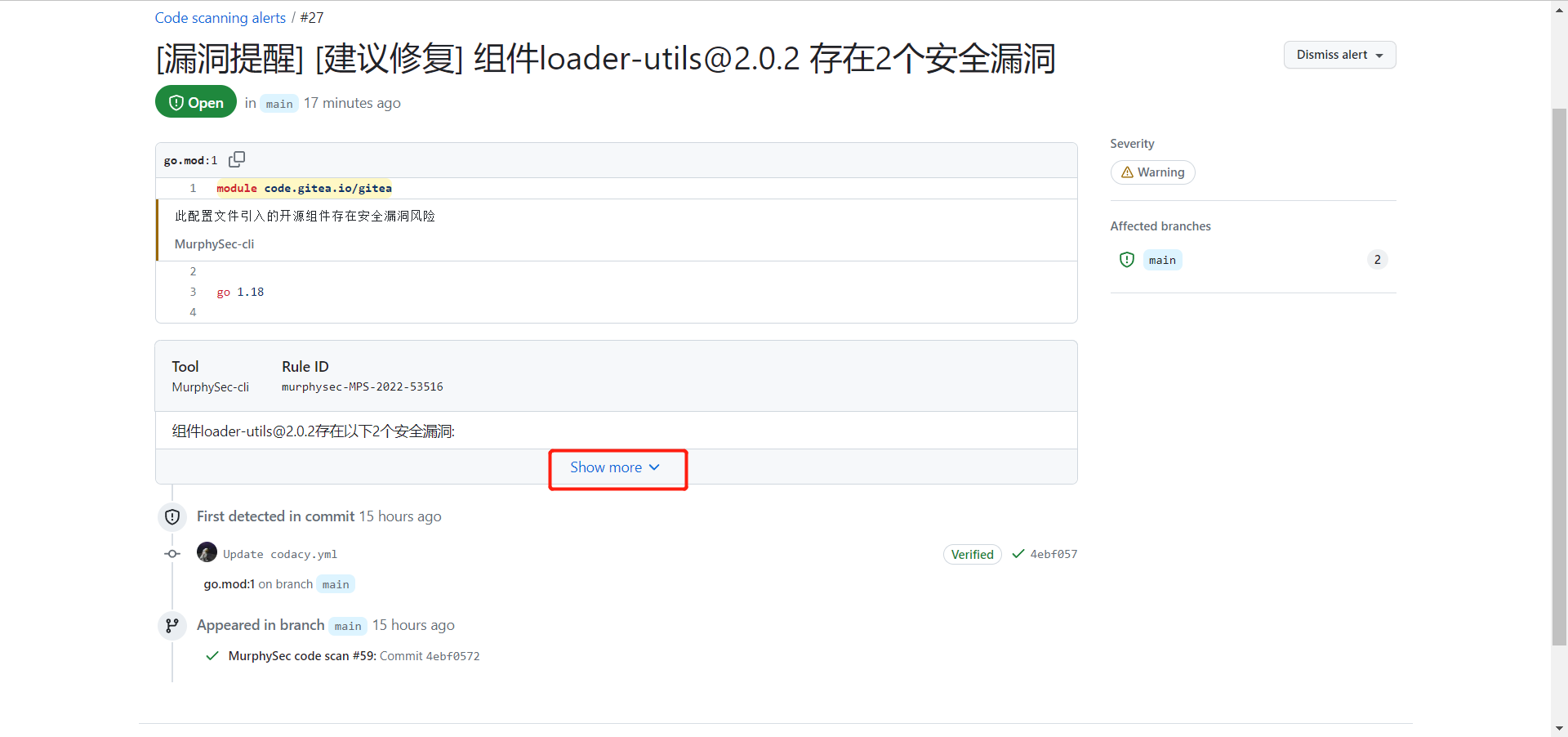
- 点击要查看的漏洞标题可以进入详细信息页面,之后点击
Show more查看详细信息,详细信息包含了漏洞的编号,处置建议,引入路径以及修复方案
- 点击项目检测报告下方链接可以跳转到墨菲安全官网查看更详细的漏洞信息